
Where can you play Lagos Life?
Lagos Life is a Sims-style online life simulation set in Lagos, run by Eliy. The official terms require players to be 18 or older. Account and age rules ↗
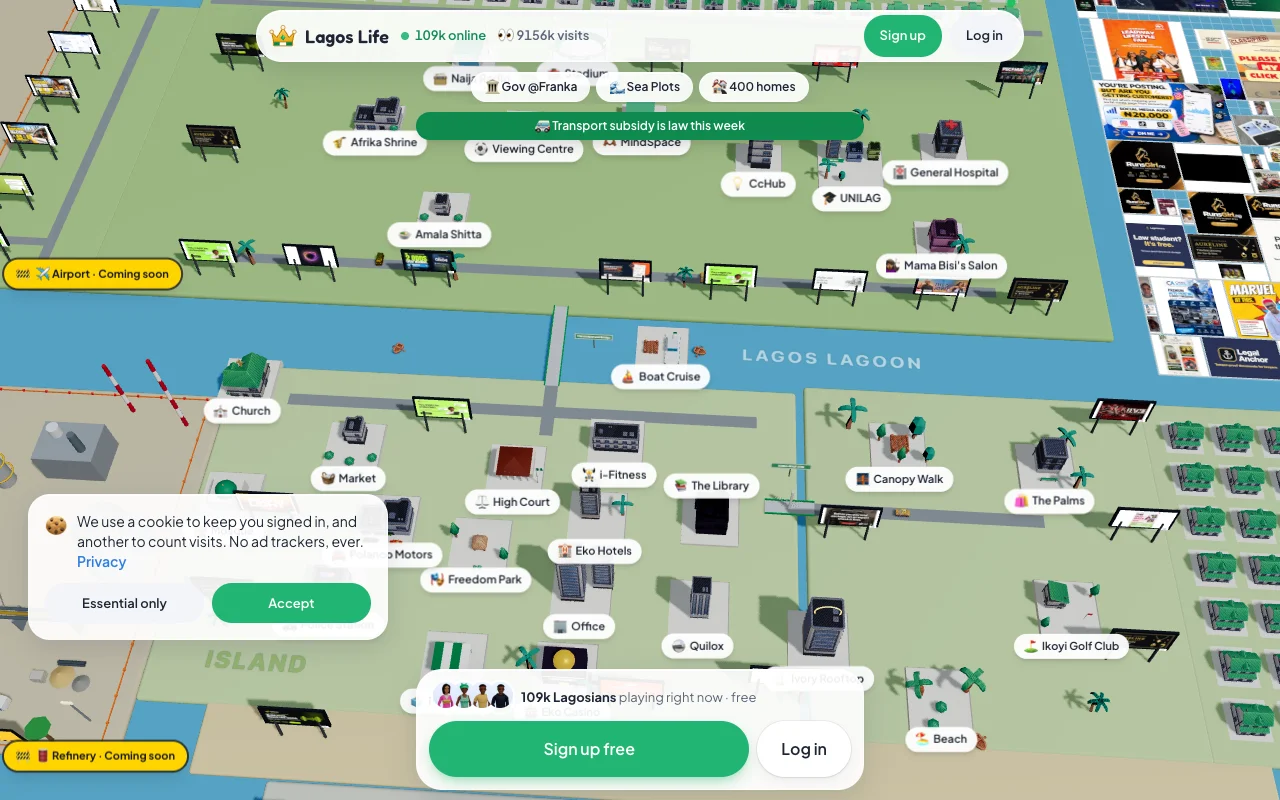
How do you start your first session?
Create your account, customize your character, read the birth lottery and choose an available home. Then find food, needs, Phone and Jobs. In our session, birth origin was assigned once to the account; it was not a Nepo/LAPO choice.
- Open the official site and create an account
Use the game’s registration flow, choose a username and keep your password private. The official rules allow one account per person. If you already have an account, log in instead.
- Read the current setup choices
Customize your appearance, select traits and a dream, then read your birth-lottery result. Our account was assigned LAPO Baby. The screen said this was decided once for the account and would not change with a new life. Choose among the homes or student setup actually offered; do not reset expecting a different origin. Logged-in observation [source]
- Find the needs and game clock
Monitor Hunger, Energy, Hygiene, Bladder, Fun and Social. Use available food, sleep, bathroom, leisure and social actions to keep a workable routine. Queued actions and travel take game time.
- Open Phone → Jobs for your first career
Check where the job is based and any entry skill requirement. Travel into the right city, start an eligible shift and review the outcome. Use the work guide for all careers and blocked-work checks.
- Review your budget before shopping
Keep enough for recurring costs and repayments. Earnings are in-game money only. The money guide explains verifiable gigs, loans and take-home pay.
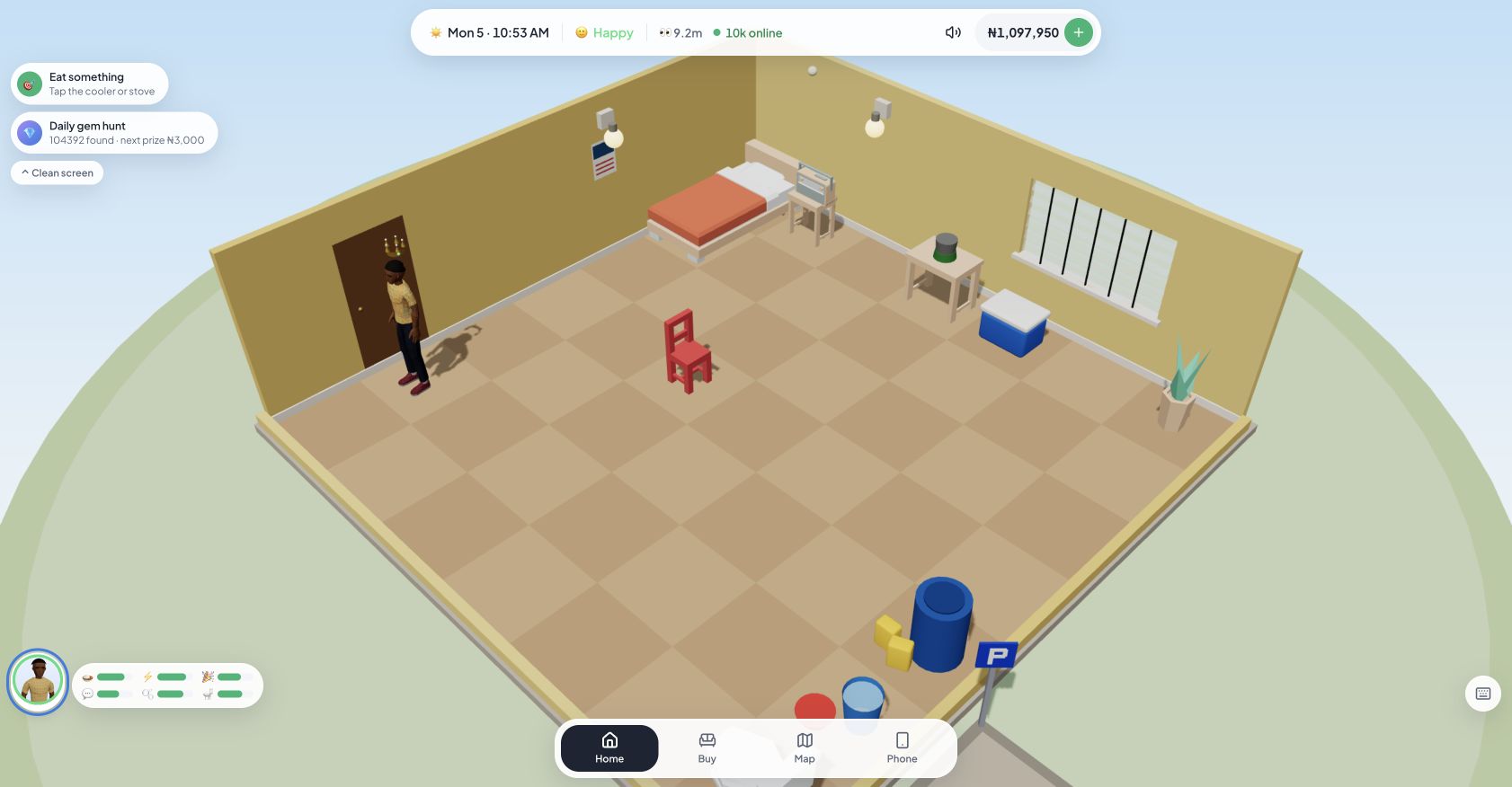
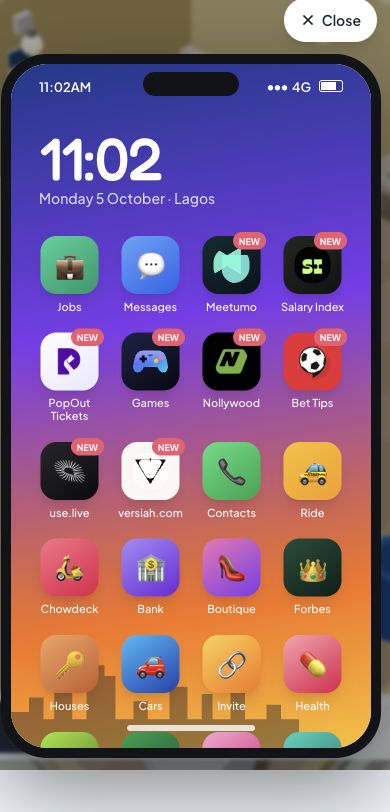
What can you choose after the birth lottery?
Your birth origin is assigned to the account; choose from the housing or student options the game offers afterward. Compare starting cash and weekly rent before confirming. Student options can have separate rules.
Nepo’s public preset includes ₦500,000 pocket money, housing, a car and a Branch Manager job. LAPO provides a ₦60,000 loan with ₦72,000 owed, alongside its learning bonus. Use the origin resources and repayments to understand your assigned result. These presets are not universal wallet balances. Our LAPO home-selection screen offered UNILAG Student (₦14,000 starting cash; ₦1,200 weekly rent), Mushin (₦76,000; ₦2,400) and Yaba (₦96,000; ₦6,000). We chose Yaba. Availability can differ by account; read your own screen. Logged-in observation [source]
How do you add Lagos Life to your phone?
Open the official website in Android Chrome or iPhone Safari and use the browser’s home-screen installation option. This adds the web app, not a separately verified APK. Menu wording varies by browser and device, and the game still needs an internet connection.
How do you install it with Android Chrome?
- Open lagoslife.app in Chrome.
- Open Chrome’s three-dot menu.
- Choose Add to Home screen, then Install if offered. Depending on Chrome and the device, the option may be labelled Install app.
- Confirm and launch the Lagos Life icon from your home screen.
How do you add it with iPhone Safari?
- Open lagoslife.app in Safari.
- Open Share; some Safari layouts put it under More.
- Choose Add to Home Screen. If your iOS version offers Open as Web App, enable it.
- Tap Add, then open the new icon.
If the menu item is missing, open the site in the full browser instead of an in-app browser. On iPhone, check the Share sheet’s action list. You can always continue playing in the browser.
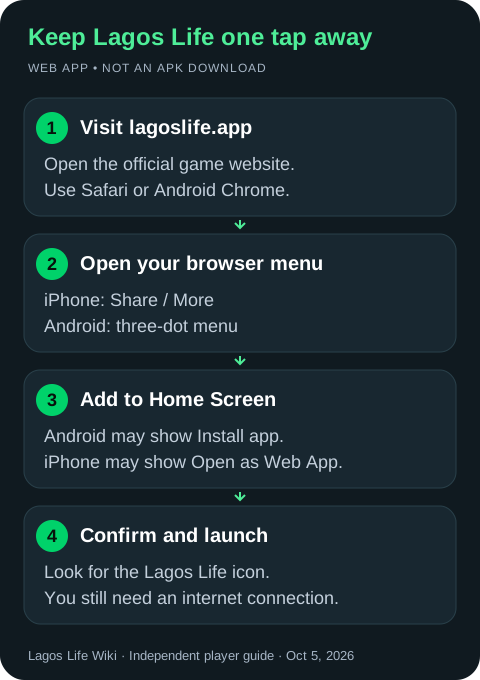
The official manifest defines a standalone web app. Adding it to your home screen does not make it an offline game or prove there is an App Store or Google Play listing. Official web-app configuration [source]
Browser instructions: Google Chrome Help [source] · Apple iPhone User Guide [source]. These are documentation-based steps; we have not tested every physical Android/iPhone version.
What else should you know about the app and game?
Is there a verified official APK or app-store listing?
This guide has verified the browser game and its web-app configuration, but not a separate official APK, App Store or Google Play listing. Use the official website for current access.
Is Lagos Life the same as The Sims?
No. Lagos Life describes a Sims-style life simulation set in Lagos and is run by Eliy. This wiki does not claim that it is an EA Sims product.
Can you play without paying?
The official website offers free browser play. The terms also describe optional real-money top-ups that purchase fictional game currency; they do not enable cash withdrawals. See the official purchase rules.
Does adding it to the home screen make it work offline?
No offline gameplay has been verified. Treat the home-screen icon as a convenient way to open the online web app, and keep an internet connection available.
Sources
Checked against official public client data and a logged-in browser session on October 5, 2026. We completed character setup, joined Trading, handled one work task and collected partial pay after leaving early. We did not complete a full shift, test every career, earn a promotion or complete the listed side gigs. Installation instructions follow browser documentation; not every physical phone was tested. Game updates can change values and availability.
- Official game: logged-in interface observations ↗
Our October 5, 2026 session and the dated screenshots in this guide. Observations apply to this account; screenshots are captured from the game, not generated images.
- Official Lagos Life website ↗
Public map, account entry and current game access.
- Official Terms of Service ↗
Minimum age, account rules, purchases and the restriction on cashing out.
- Official public career and action definitions ↗
Career ranks, base pay, skill gates, rosters and side-gig definitions.
- Official public gameplay logic ↗
Work eligibility, promotion, payout adjustments, tax and cooldowns.
- Official public origin presets ↗
Nepo and LAPO resources and loan amounts.
- Official public game interface ↗
Phone, Jobs and Go to work labels.
- Official web-app manifest ↗
The standalone home-screen web-app configuration.
- Google Chrome Help: use web apps ↗
Android installation instructions.
- Apple iPhone User Guide: turn a website into an app ↗
Safari home-screen installation instructions.